

A simple POS for your food stall.
Take orders, track preparation and check daily sales on one device. Built for Malaysian food stalls, drinks kiosks and takeaway counters run by one or two people.
RM299 one-time paymentOne device · No monthly or annual licence fee
No Product Key needed. Demo entries reset on reload.
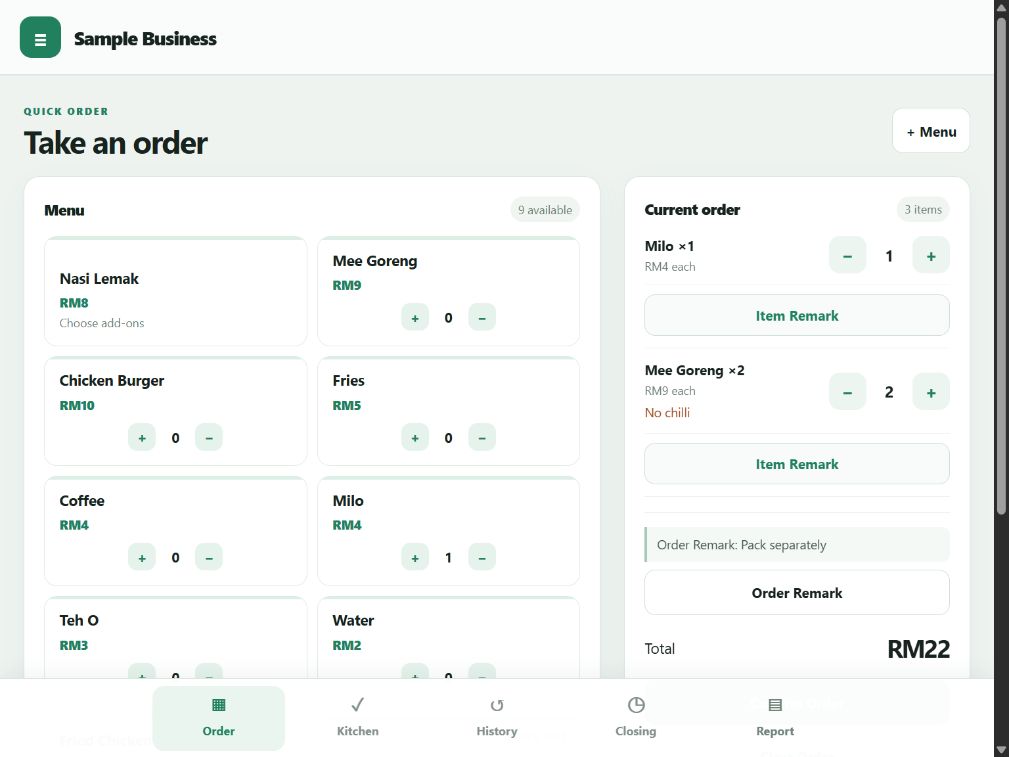
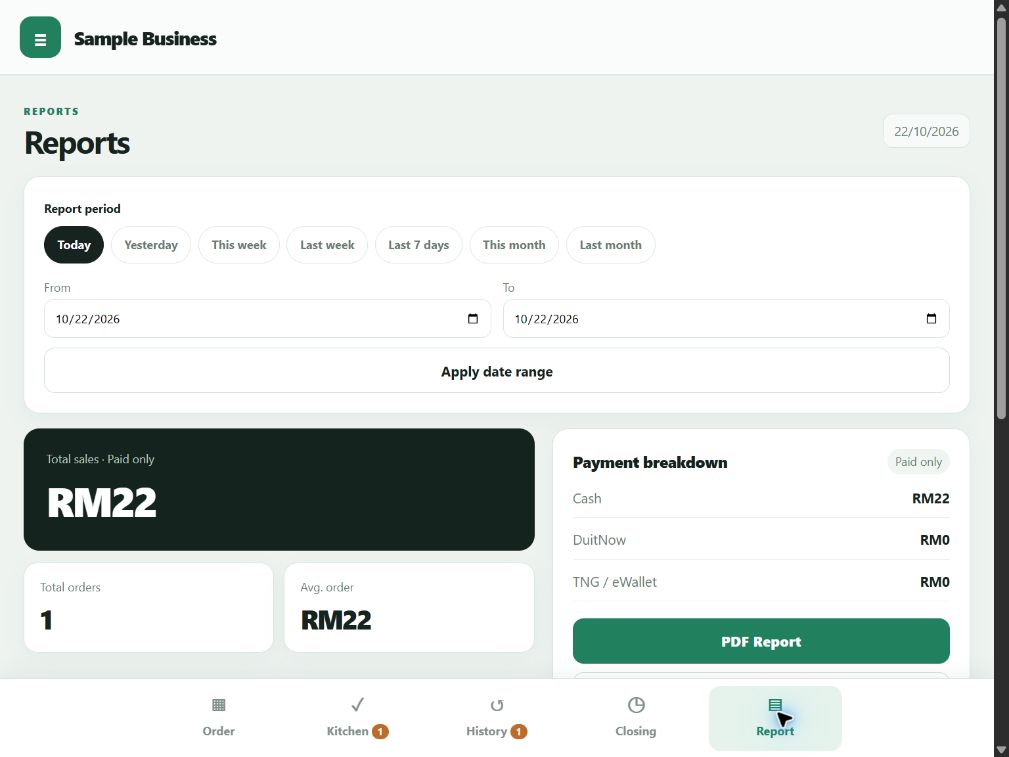
Orders, kitchen preparation and daily sales.
See how each task works on the same device.
Swipe or scroll sideways to explore
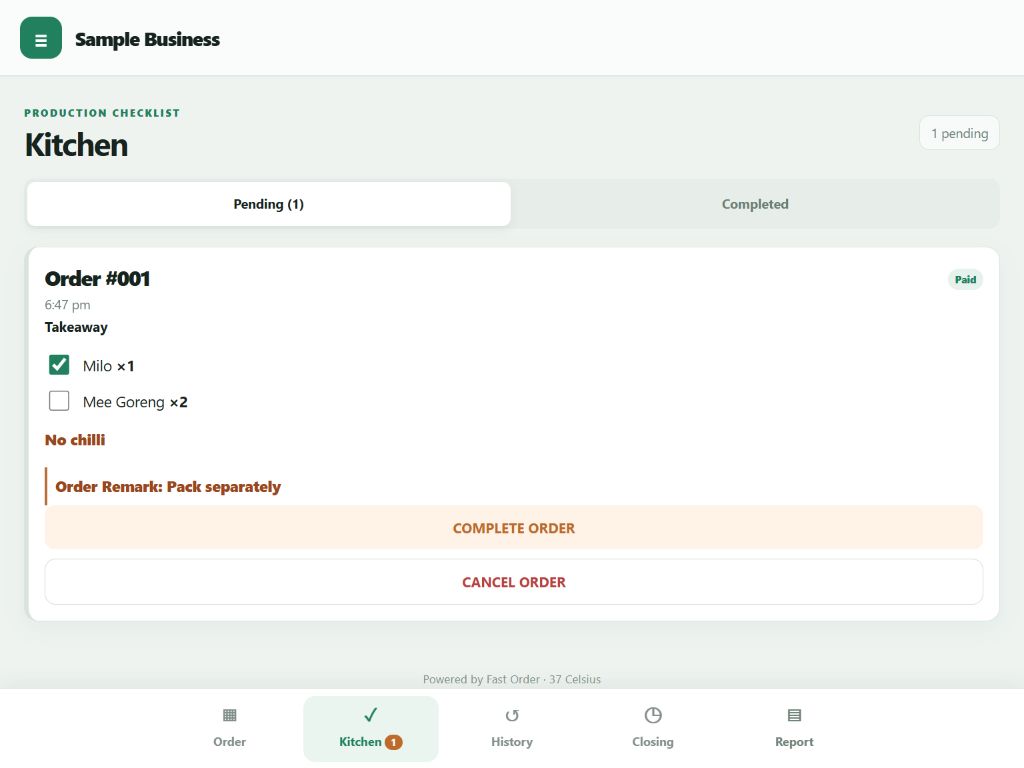
Before you confirm: Check the items with your customer. To correct a confirmed order, cancel it and create a new one.
More sample screens
Payment methods are recorded for your records. Payments are received separately; Fast Order does not process online payments.
Ask first, or try it yourself.
Three steps to get started.
- 01
Ask or try
Try the Demo or ask us about your setup.
- 02
Purchase on WhatsApp
Arrange payment directly with the seller.
- 03
Install & activate
Receive your key and training. Install first, open the installed app, then activate online.
Installation steps for Android & iPhone
Android: Install / Add to Home Screen first, open the installed app, then activate inside it.
iPhone: in Safari, use Share → Add to Home Screen first. Open the app from your home screen, then activate inside that installed app.
Internet is required for the first activation. After that, the app works offline; OS sharing, printing and third-party services may still need a connection.
RM299 once.
No annual licence fee.
One-time purchase POS software for one licensed installation. Bring your own device and check that the setup suits your business.
RM299
Hardware is not included.
- Price
- Paid once for permanent use on your licensed installation. No monthly or annual licence fee.
- Device
- One Product Key for one active device/browser installation. Android phone/tablet or iPhone; check your setup.
- Offline
- Activate online first, then use offline.
- Features
- Order · Kitchen · History · Closing · Report.
- Changing devices
- Contact support about Rebind conditions and any applicable fees.
- Support & training
- 7 days from when your key is sent. Training PPT and video tutorials included.






Your records stay on this device. Back up separately; Rebind does not restore orders.
Ask about the RM299 system ↗Before you buy
Changing devices? Rebind can still be requested after the 7-day support period. Contact support about conditions and any applicable fees. Rebind restores licence access, not your orders. Ask about the scope and cost of any other support after 7 days.
Keep your records safe. Local orders need a separate Data Backup and restore. Back up regularly, ideally weekly. PDF/CSV sales exports are not full data backups. Restoring a backup may replace existing data on the target device.
Planning to print? Receipt PDFs support 58mm and 80mm formats; this does not guarantee physical-printer compatibility. Confirm your device, browser and printer setup with us before buying hardware.
Fast Order questions, answered.
Clear answers about the app, your licence and your records.
Ask on WhatsApp ↗Is RM299 a lifetime POS licence? What is included?
RM299 buys permanent use on one active device/browser installation, with no monthly or annual licence fee. It includes a Product Key, training PPT, video tutorials and 7 days of support from when the key is sent. Hardware is separate.
This lifetime POS licence does not include lifetime support, lifetime maintenance or guaranteed future features.
Which devices can I use?
The owner has tested Android tablets, Android phones and iPhones. This is not a certification of every model, browser or printer combination. Ask us about your intended setup.
One key supports one active device/browser installation. It does not share or synchronise orders across devices. Contact support when changing devices to discuss Rebind conditions and any applicable fees. Rebind restores licence access, not records on the previous device.
How do I install it? Does it work offline?
Internet is needed for the first activation. After that initial activation, the app can be used offline. This does not guarantee offline operation of OS sharing, printing or third-party services.
On Android, install / Add to Home Screen, open the installed app, then activate inside it. On iPhone, use Safari to Add to Home Screen first, open the home-screen app, then activate. Your setup materials explain the steps.
When does support start? Can I change devices later?
The 7-day after-sales support period starts when the seller sends your Product Key, not at activation or first use. Rebind can still be requested after that period; please ask support about the applicable conditions and fees.
Where are my records? How do I back them up?
Business records are stored locally on your device. Use Data Backup regularly, ideally every week, and keep a safe copy. PDF/CSV sales exports are not full data backups. Restoring a backup may replace existing device data; Rebind does not recover local orders.
Does it collect online payments?
No. Record Cash, DuitNow and TNG/eWallet payments received separately. Fast Order does not process online payments. New Card payments are not supported. Your software purchase is arranged through WhatsApp.
More questions 4 more
Can I ask questions before trying the Demo?
Absolutely. You can ask on WhatsApp before trying the Demo or arranging a purchase. The public Demo needs no Product Key; its sample entries reset on reload, so do not use it for real business records.
Can I edit an order after confirmation?
Items, quantities and remarks cannot be edited through the normal order flow after confirmation. Check the items with your customer first. If a correction is needed, cancel the whole order and create a new one.
Can I use a receipt printer?
Receipt PDFs support 58mm and 80mm formats. That does not guarantee physical-printer compatibility. Confirm your device, browser and printer setup before buying hardware.
For saving a PDF on iPhone, the verified path is Share → Save to Files. Printing support depends on your setup.
Are software updates included?
Bug fixes for the current version are provided free when available. The purchase does not include a promise of future feature additions, a fixed update schedule or lifetime maintenance.
Tell us how your stall works.
Ask questions, check your setup or arrange a purchase. You do not need to try the Demo first.
Who is behind Fast Order?
Fast Order is developed and sold by 37 Celsius One Stop Solution, under the 37Celsius brand.
Business enquiries: 37celsiusonestopsolution@gmail.com
The included 7-day after-sales period starts when your Product Key is sent.